How it works
The client chooses and approves. The lawyer receives a structured file.
Two separate apps: DARC Legal Collector, with the client, and DARC Legal Desk, with the lawyer. One encrypted file passes between them, handed over by the client however they choose. Nothing goes through DARC's servers.
Two ways of working
At home or at the office. The difference is who controls the computer.
At home, on the client's computer
- You send the client, optionally, a
.darcrequestfrom Desk and your instructions. - The client installs Collector, free, and connects their phone by cable.
- They choose the period and categories, review everything, approve and save the package.
- They hand it to you on a USB stick, by e-mail or by transfer; the password separately.
Privacy: the data passes only through the client's computer. The only people with possible technical access are those who administer that computer.
At the law office, on a dedicated computer
- The client brings the phone. Collector runs on an office computer reserved for this.
- The client makes the choices, the review and the approval themselves, on screen.
- The package is saved encrypted, as in option A, and imported into Desk.
- Useful when the client has no computer or needs assistance.
Privacy: during collection, whoever controls the computer (IT staff, installed software) could technically read the data. The client should know whose computer it is.
| At home | At the office | |
|---|---|---|
| The computer | The client's | The office's, dedicated to collection |
| Who could have technical access during collection | The administrators of the client's computer | The administrators and software of the office computer |
| Recommendations | An up-to-date system; the client's phone unlocked | A computer used only for collection, with no other software, with full-disk encryption (FileVault / BitLocker) |
| Hand-over of the package | However the client chooses | Directly, at the office |
Either way, the iPhone's pairing record ("Trust This Computer?") stays on the computer used. The client can revoke it on the iPhone in Settings, by resetting Location & Privacy.
Step by step
From the phone to the case file
The request for the client
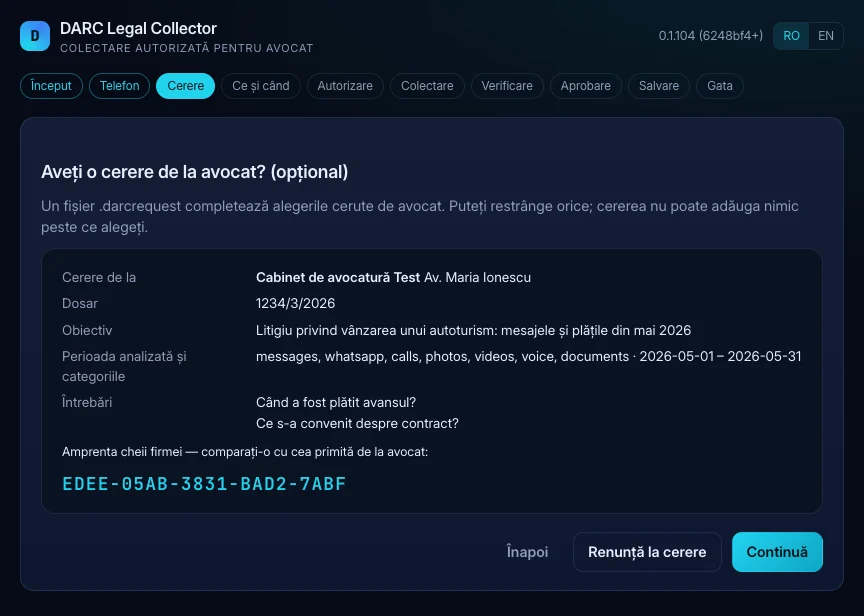
In Desk you create the case and, if you wish, a .darcrequest: case number, objective, period, categories, people and questions for the client. The request is signed with the firm's key.
Collector checks the signature and shows the client the fingerprint of the firm's key, to compare with the one you gave them through another channel. The request pre-fills the choices; the client can only narrow them, never widen them.
The period and the categories
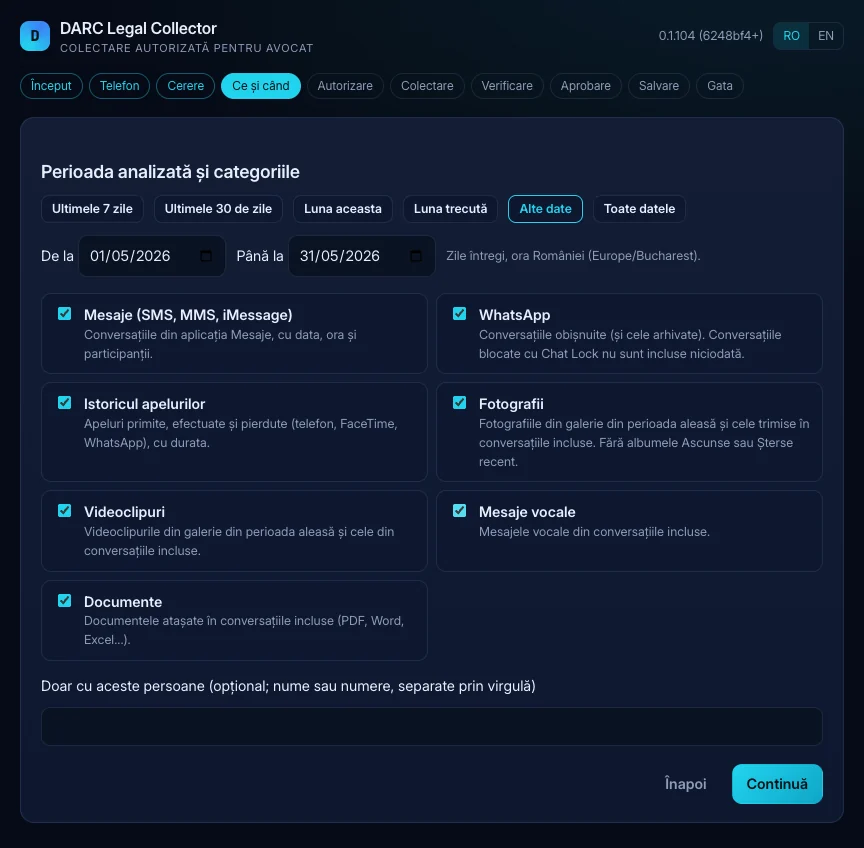
Whole days, Romanian time. Categories: messages (SMS, MMS, iMessage), WhatsApp, call history, photos, videos, voice messages and documents. Optionally, only conversations with certain people.
Before collection the client sees a summary and authorises it explicitly, including what is acquired more broadly for a while (on an iPhone, see Security).
Review and approval
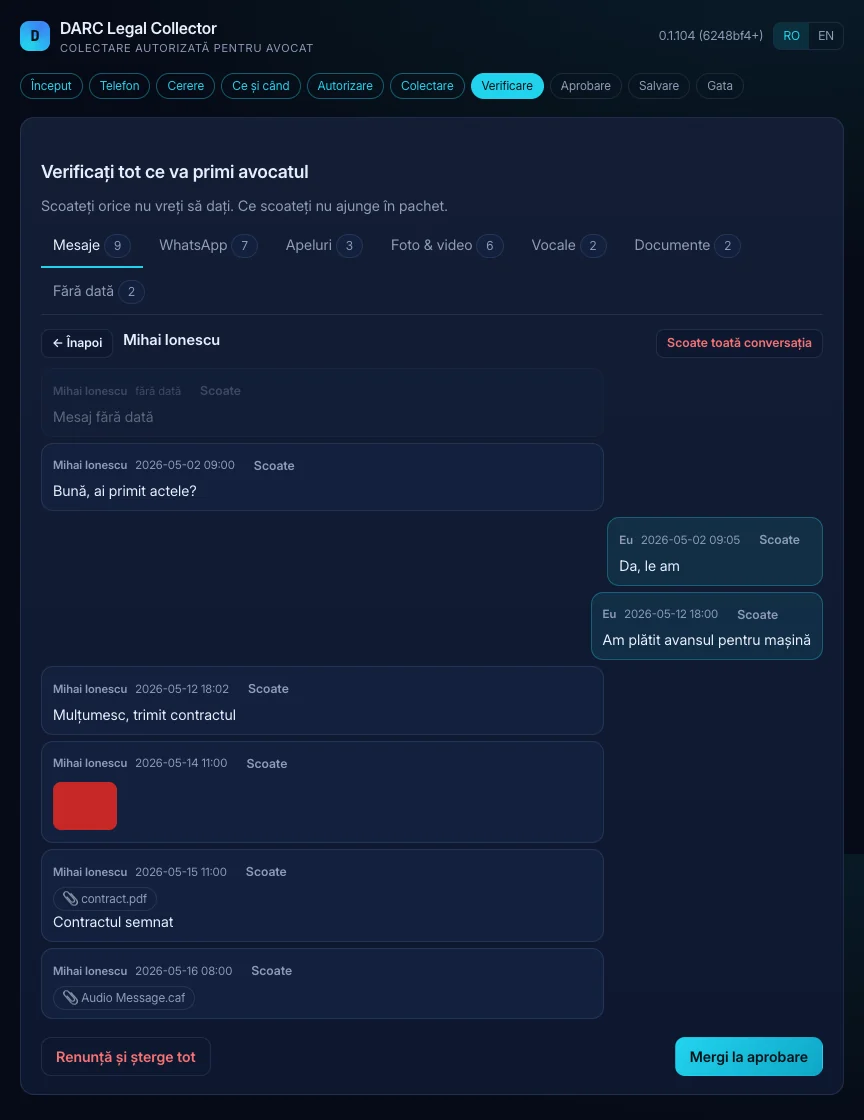
The client sees everything the lawyer will receive, by category. They can remove items or whole conversations; undated items are a separate group, included only if they choose them.
The package records where messages were left out (only how many, no content), so the gap is visible in Desk. The exact confirmation text the client approved is kept in the package.
Saving and hand-over
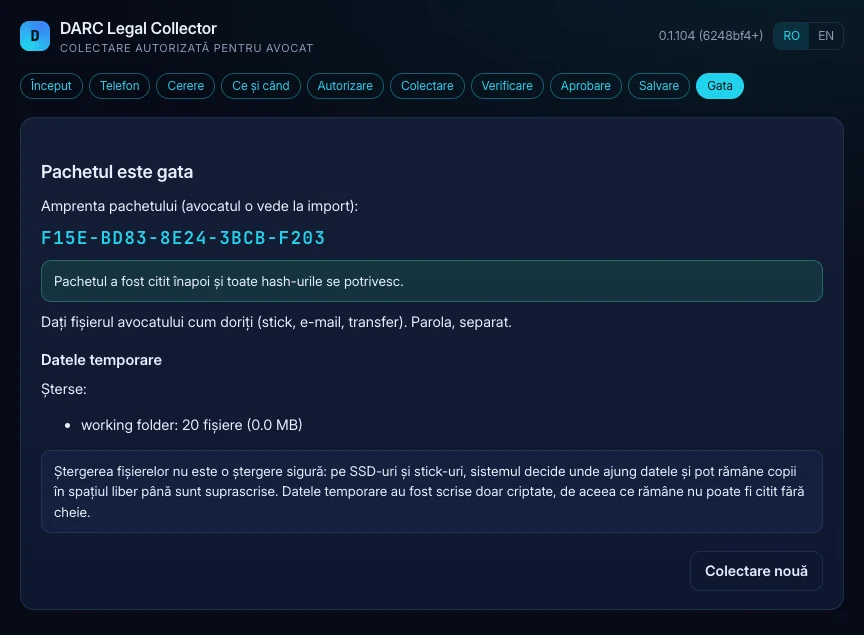
The .darcl package is encrypted with a password (at least 8 characters), with the firm's key from the request, or both. After saving, Collector reads it back completely and checks every hash, then deletes the temporary data.
The client hands the file over however they like. The package fingerprint is shown to the client after saving and to you on import.
Import and work on the case
Desk verifies the whole package and keeps it unchanged in the case. Your stars, notes and chapters are kept apart. Packages from different cases never mix.
Then come search, timeline, conversations in context, the numbered PDF and the exports. About Desk
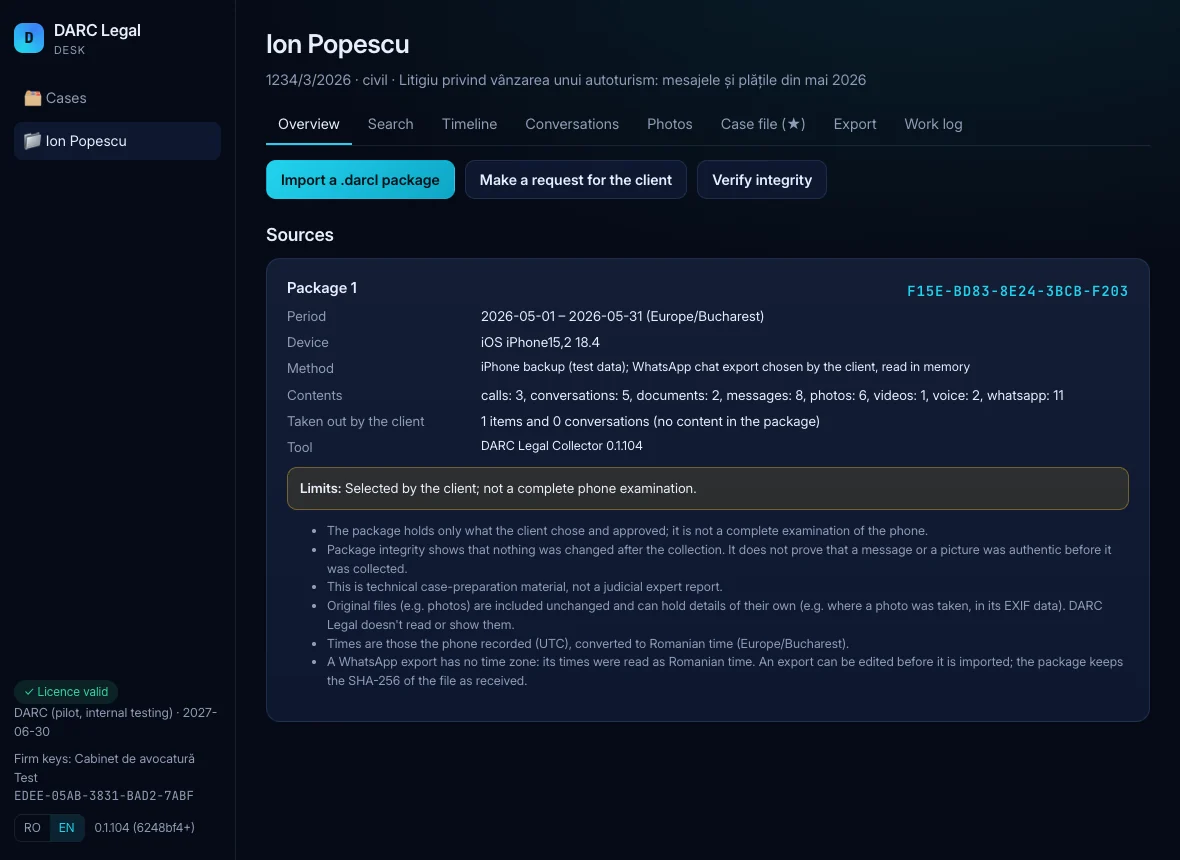
What a package can contain
- Only the items the client approved, from the chosen period and categories
- The originals of photos, videos, voice messages and documents, unchanged, with SHA-256
- Participants, only as far as they appear in included records
- The approval record and where the client left gaps
What is never collected
- Passwords, Wi-Fi networks, Bluetooth, accounts, browser history
- Locations and places; a WhatsApp location message keeps only a note that the location was not included
- The Hidden and Recently Deleted albums; locked WhatsApp chats (Chat Lock)
- Deleted data, residual thumbnails, spyware checks, notes, calendar